JavaScript Switch Statement
Use switch-case for clean multi-branch decision logic.
switch-casebreak/defaultgrouped casesTable of Contents
Introduction
Switch helps when one value is compared against many exact options. It can be cleaner than long if-else if chains. Review Control Flow first for fundamentals.
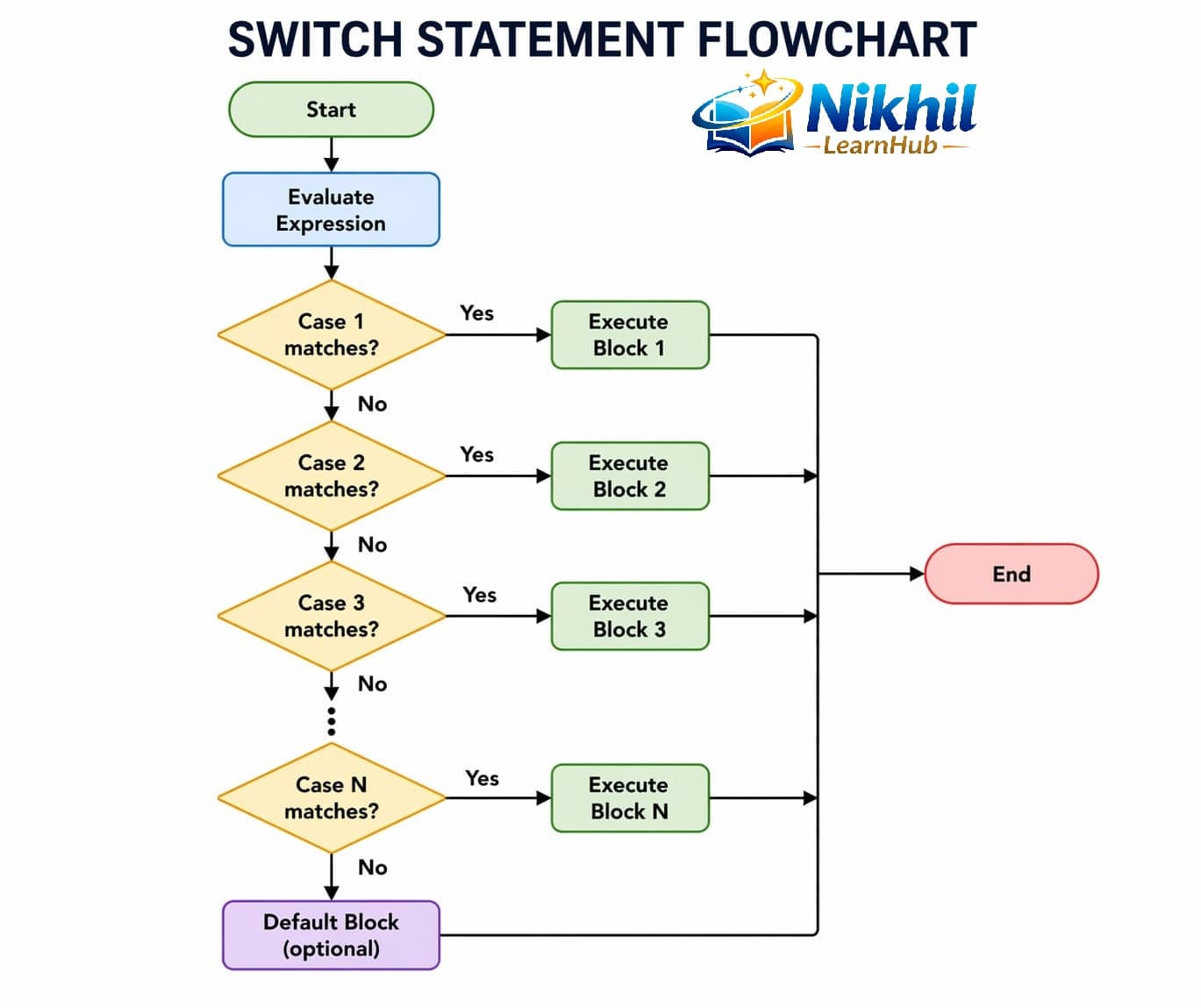
switch, case, break, and default in JavaScript.Switch Syntax
const day = 3;
switch (day) {
  case 1:
    console.log("Monday");
    break;
  case 2:
    console.log("Tuesday");
    break;
  case 3:
    console.log("Wednesday");
    break;
  default:
    console.log("Invalid day");
}
Break and Default
- break: exits switch after matched case.
- default: fallback when no case matches.
const role = "guest";
switch (role) {
  case "admin":
    console.log("All access");
    break;
  case "user":
    console.log("Limited access");
    break;
  default:
    console.log("Read-only access");
}
Grouped Cases Example
const fruit = "apple";
switch (fruit) {
  case "apple":
  case "mango":
  case "banana":
    console.log("Common fruit");
    break;
  default:
    console.log("Other fruit");
}
Switch Tricky Points
- Strict matching: switch compares using strict equality behavior (like
===), so"1"and1are different. - Fall-through: if
breakis missing, execution continues into next case(s). - default position:
defaultcan appear anywhere, but keeping it last improves readability. - Case expressions: case labels are evaluated and compared to switch expression result.
- Range checks: switch is not ideal for ranges (like score bands);
if-elseis usually cleaner.
// 1) Strict matching
const value = "1";
switch (value) {
  case 1:
    console.log("number one");
    break;
  case "1":
    console.log("string one"); // runs
    break;
}

// 2) Fall-through (intentional grouping style)
const role = "editor";
switch (role) {
  case "admin":
  case "editor":
    console.log("Can edit content");
    break;
  default:
    console.log("Read only");
}
if vs switch
| Use if | Use switch |
|---|---|
Range conditions (x > 10) | Exact value match |
| Complex boolean expressions | Many known discrete options |
10 Switch Interview Q&A
1When is switch preferred?easy
Answer: When matching one expression against many exact cases.
2Why use break in switch?easy
Answer: To prevent falling through to next cases.
3What is fall-through?medium
Answer: Execution continues to next case when break is omitted.
4Is default mandatory?easy
Answer: No, but recommended as fallback branch.
5Can multiple cases share one block?easy
Answer: Yes, by stacking case labels before one code block.
6Can switch use expressions in case labels?medium
Answer: Case values are compared strictly against switch expression result.
7How switch compares values?medium
Answer: Strict equality behavior (similar to ===).
8Can switch replace complex if ranges?hard
Answer: Not directly for ranges; if/else is usually clearer for range checks.
9Common switch bug in interviews?easy
Answer: Missing break causing accidental fall-through.
10Best practice with default case?easy
Answer: Handle unexpected values and log safe fallback behavior.
10 Switch MCQs
1
switch is best for:
Explanation: switch handles exact branch values well.
2
break does what?
Explanation: break stops switch execution.
3
Without break, switch will:
Explanation: missing break causes fall-through.
4
default runs when:
Explanation: default is fallback branch.
5
switch comparisons are similar to:
Explanation: switch uses strict-like matching.
6
Grouped cases are useful for:
Explanation: stack multiple cases to share one block.
7
Which is clearer for range (score > 80)?
Explanation: ranges are better with if-else.
8
Can default be placed before last case?
Explanation: default can appear anywhere, though usually last.
9
Common bug in switch code?
Explanation: absent break causes unintended fall-through.
10Which statement about
Which statement about default in switch is correct?
Explanation:
default is the fallback branch for unmatched values.